
Improving K12 School Culture
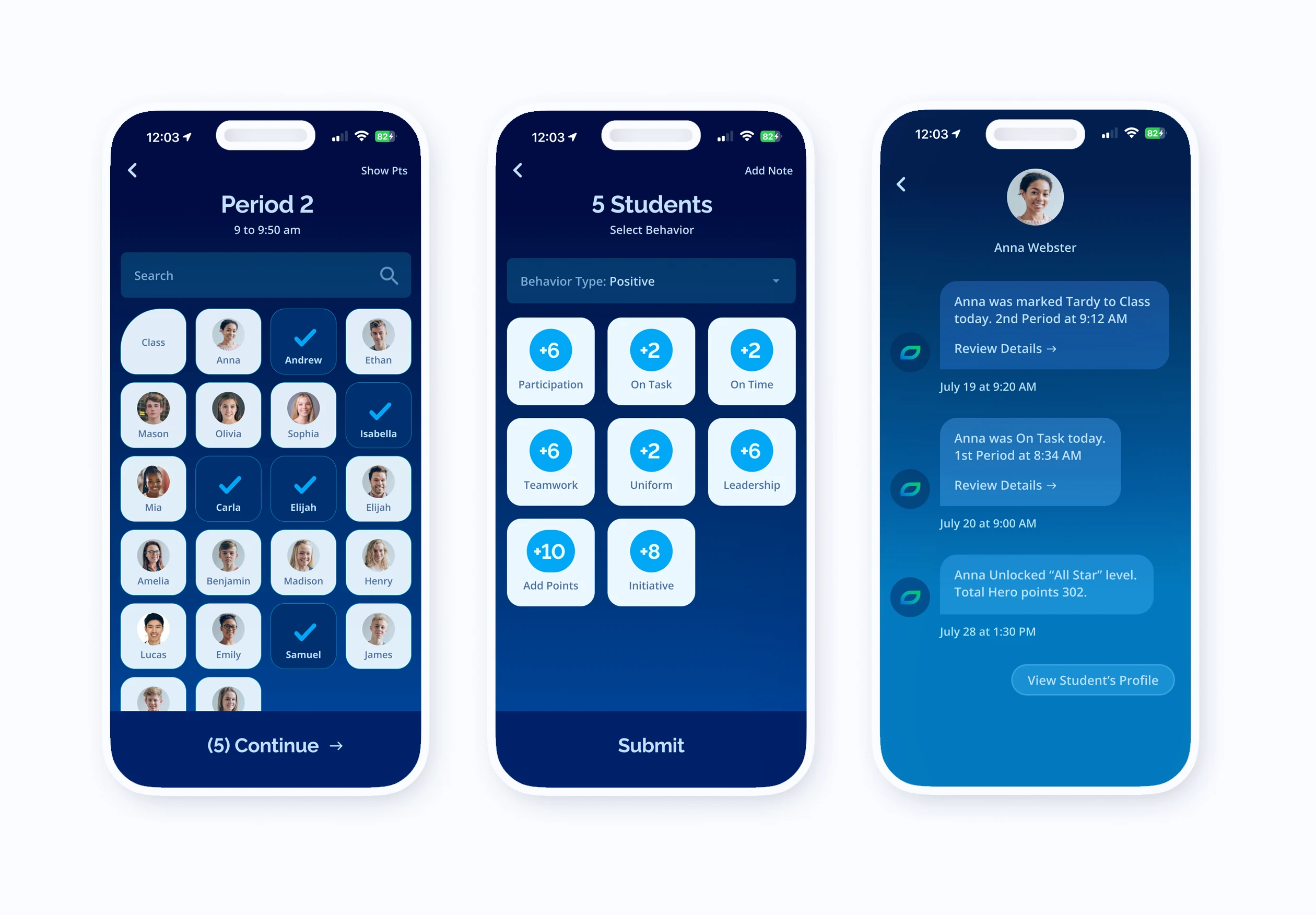
At-A-Glance
Hero is designed to strengthen school climate by offering a structured behavioral system, using positive reinforcement to motivate students, keep families informed, and streamline tasks like attendance management.
What is a behavioral system and attendance management?
A student who is on time, participates in class, and helps a peer might earn reward points through Hero’s platform. These points can be redeemed for recognition or incentives, fostering a culture of positivity. At the same time, if a student is frequently tardy or involved in incidents, the system allows educators to document events, notify guardians, and initiate appropriate interventions, all in one place.
Challenge
Hero’s first iteration was developed over 20 years ago, evolving by 2014 into a robust tool for managing school climate and attendance. However, without significant updates in the past decade, it fell behind on security standards (Soc 2) and UX best practices. Growing concerns around student data privacy prompted an extensive audit, revealing critical gaps that required a complete rebuild.
We seized this challenge as an opportunity, not just to enhance security, but to rethink the platform’s core features and information architecture, and improve the entire user experience.
My Role
From 2023, I led Hero’s end-to-end design and user experience across web, iOS, and Android, translating intricate workflows into intuitive, user-centered experiences through strategic research, cross-functional collaboration, and data-driven design.
In 2025, I stepped into a dual role as Product Manager and UX Designer for this project, owning Hero’s vision, strategy, roadmap, and backlog prioritization while collaborating closely with leadership, marketing, sales, onboarding, and support teams on all major releases.
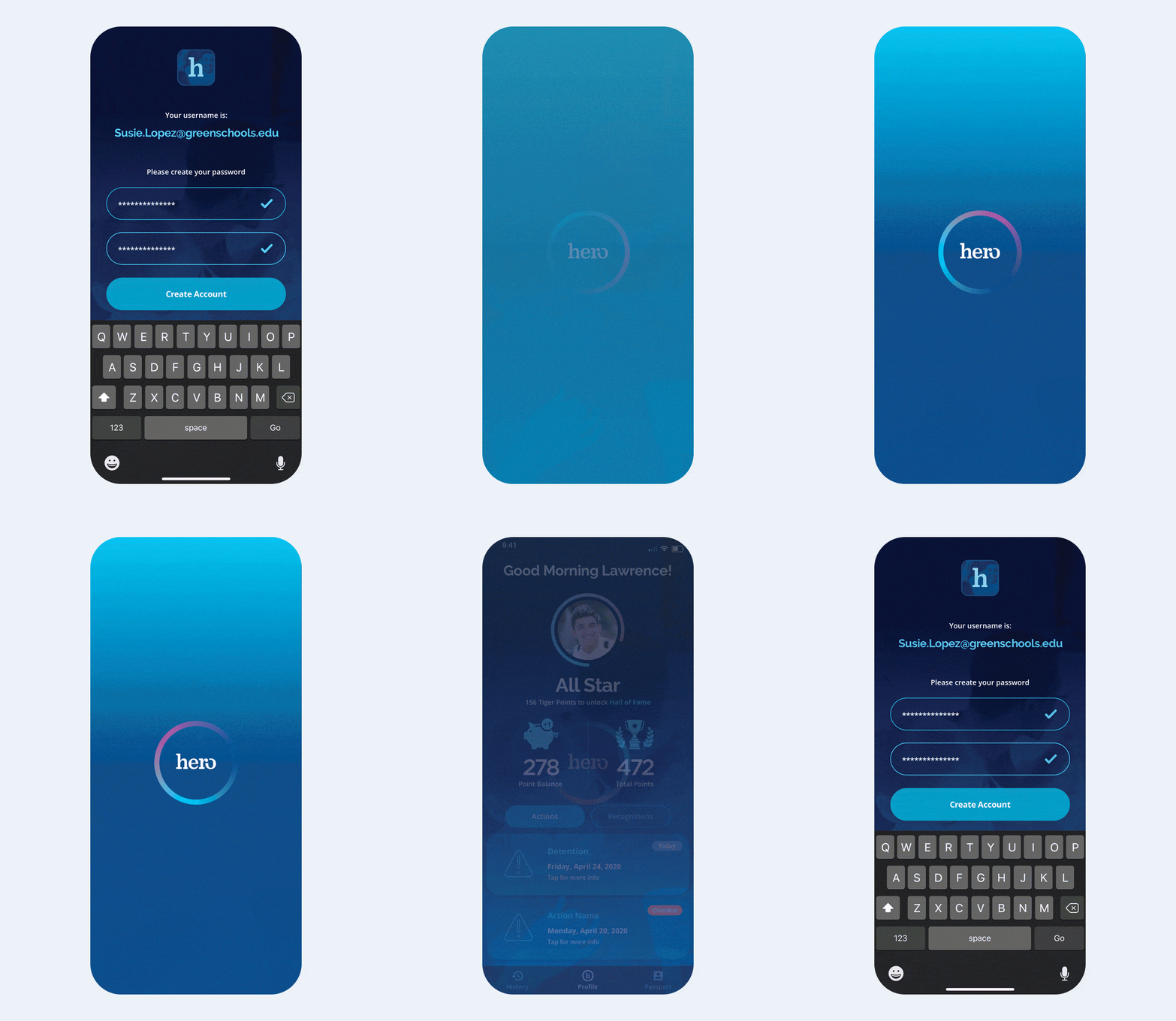
Discovery is the most important step in the process and essential to understand what new features and improvements will bring the most value to educators and future customers. What are the needs, the must haves and what would bring delight to their daily processes.
The main questions that we asked ourselves were:
- How do we identify opportunities to improve the UX of existing features or redesign how key tasks are experienced?
We conducted interviews with school admins, teachers, parents, and subject matter experts to better understand usability challenges and inefficiencies. Our goal was not only to optimize current features, but also to uncover when a more fundamental shift in flows or interactions would create a more intuitive and effective experience.
- What are we missing?
We analyzed strengths, weaknesses, and usability challenges in competing platforms, and also in manual workflows. The goal was to identify new features that would bring the most value to educators, and families, while supporting growth objectives and aligning with the broader business strategy.
This research shaped a clear understanding of our three primary user personas, each with unique but interdependent needs.
Educators
Need streamline workflows, better reporting tools and improved performance.
Parents/Guardians
Want clear communication and status updates, improved mobile usability and more accessibility features.
Students
Desired recognition, reminders and timely feedback.
With insights from research and competitor analysis, the team and I identified key upgrades across four strategic areas:
1. All-in-one platform
We aimed to provide one centralized platform to manage tardiness, absenteeism and positive behavior reinforcement, ensuring alignment across the school. Eliminating the need for educators to use multiple tools to achieve their needs.
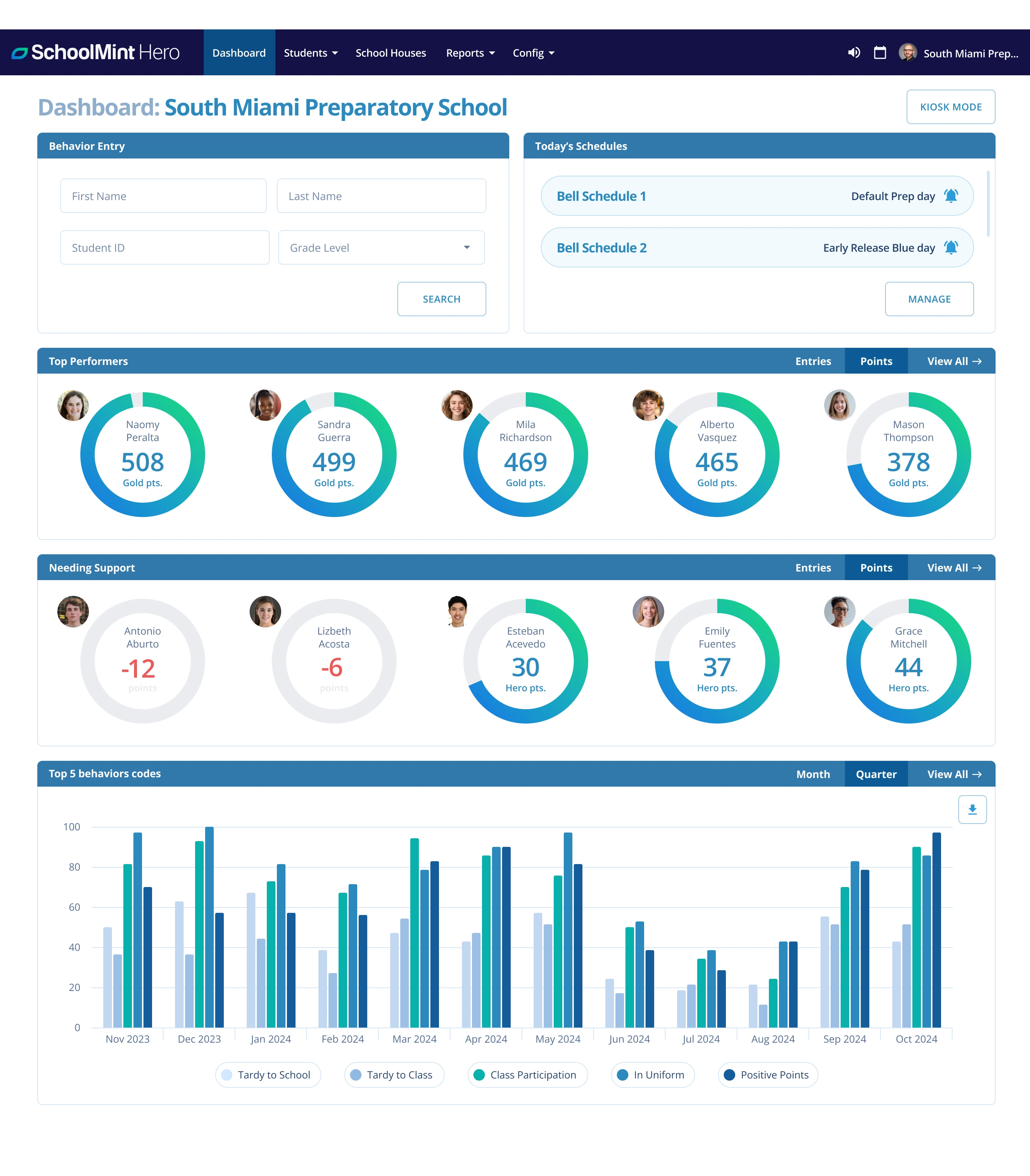
- Reports and Analytics: Introduced data visualizations, and connected additional data tables to be able to report on daily activities, tardiness, absenteeism, schoolwide points and more. Enabling schools to identify areas of improvement and celebrate success by analyzing patterns and impact on school culture
- Setup and Imports: Intuitive setup features including CSV imports for bell schedules, student groups, behavior codes, user roles, reactions and more (previously handled by our engineers)
- Performance & Security: Built from the ground up using the latest cloud-based tech for optimal performance, reliability, and security
- Calendar View: See and manage daily events, bell schedules and reactions all in one place (e.g. after-school detentions)
- Brand and UI: Updated the design system and the overall look and feel with focus on greater usability and intuitivenes
2. Positive Reinforcement at the Core
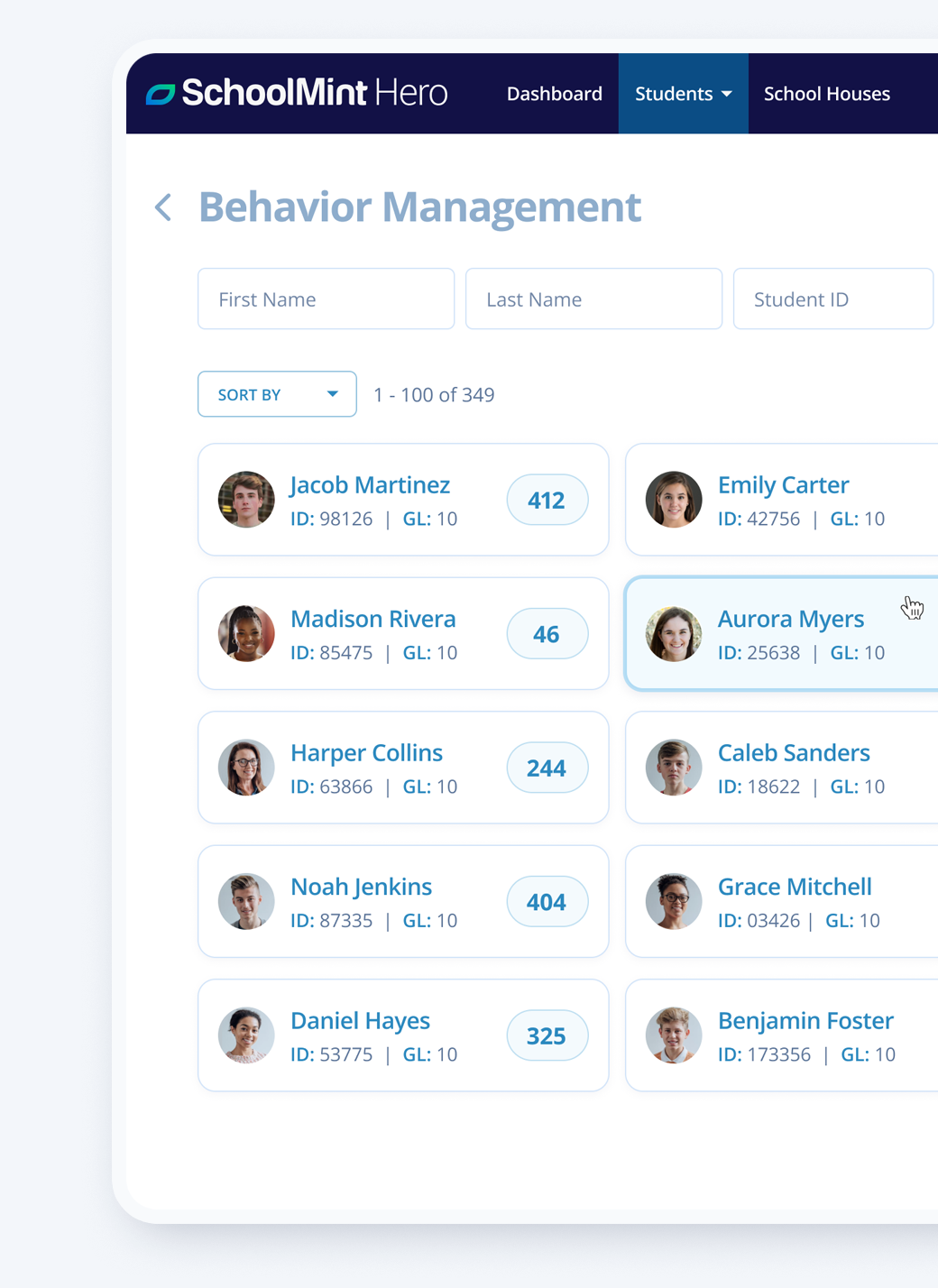
Implemented improvements to our point based reward system to encourage and reinforce positive behaviors among students, and reduce the time spent by admins.
- Student Management & Dashboard: Easy and intuitive way to manage attendance, students behavior and overall school climate, allowing for easy monitoring of trends and data analysis
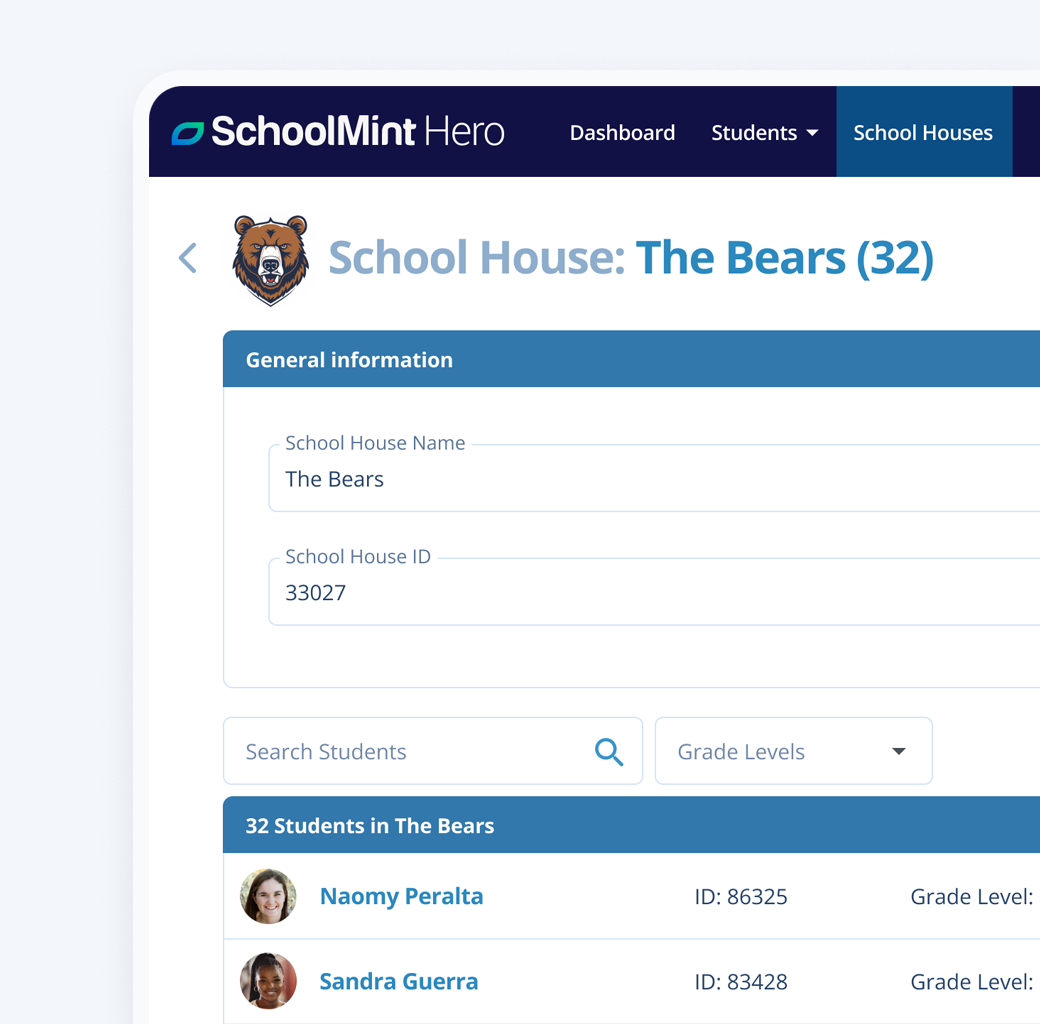
- Student Groups / Houses: Ability to create groups different from class periods for easier behavior and attendance tracking
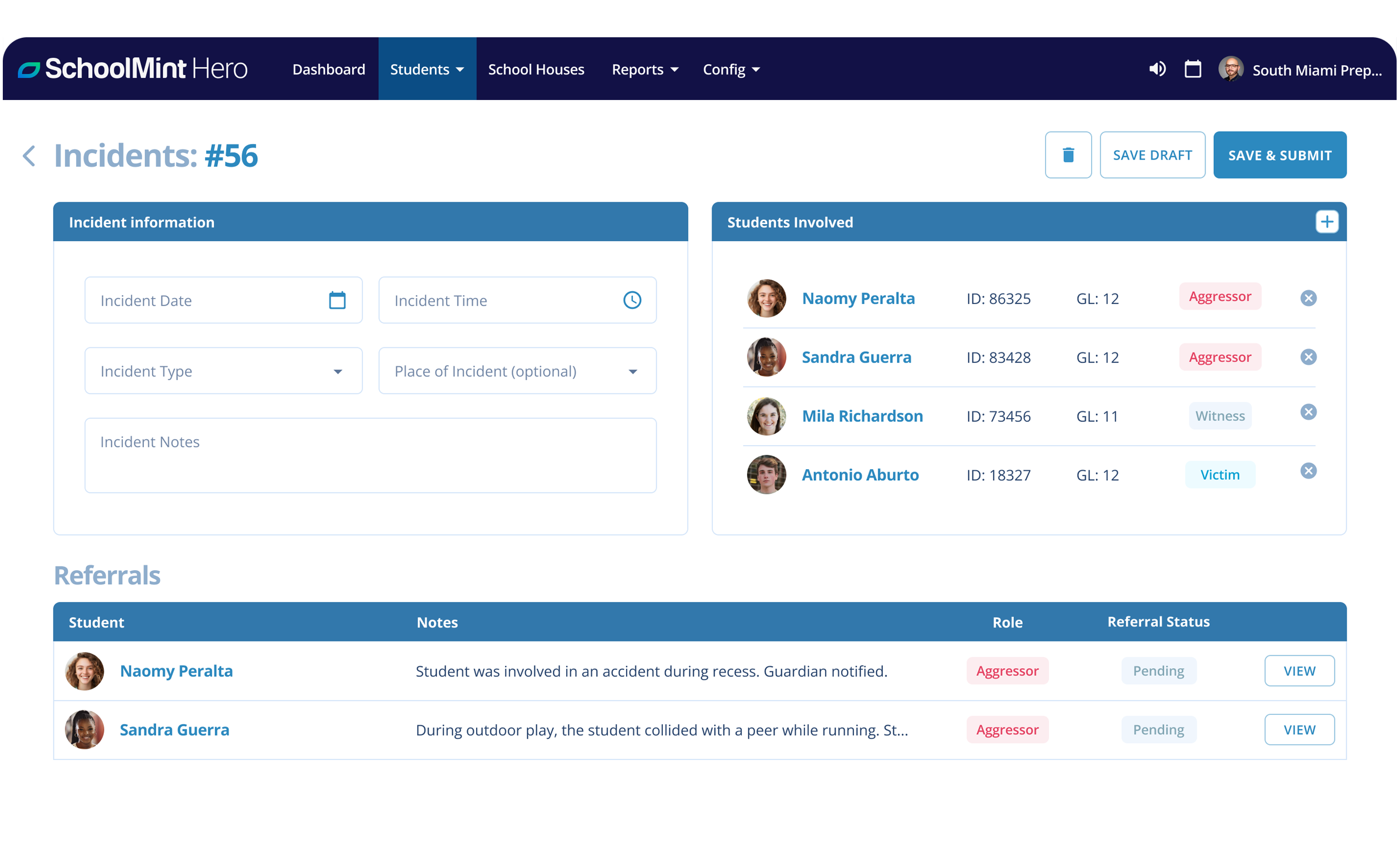
- Incident Manager: Vastly improved the experience of documenting incidents, referrals and interventions
- Small updates with a big impact: Links to student profiles and guardian contact info directly from reinforcement flows
3. Instant Updates
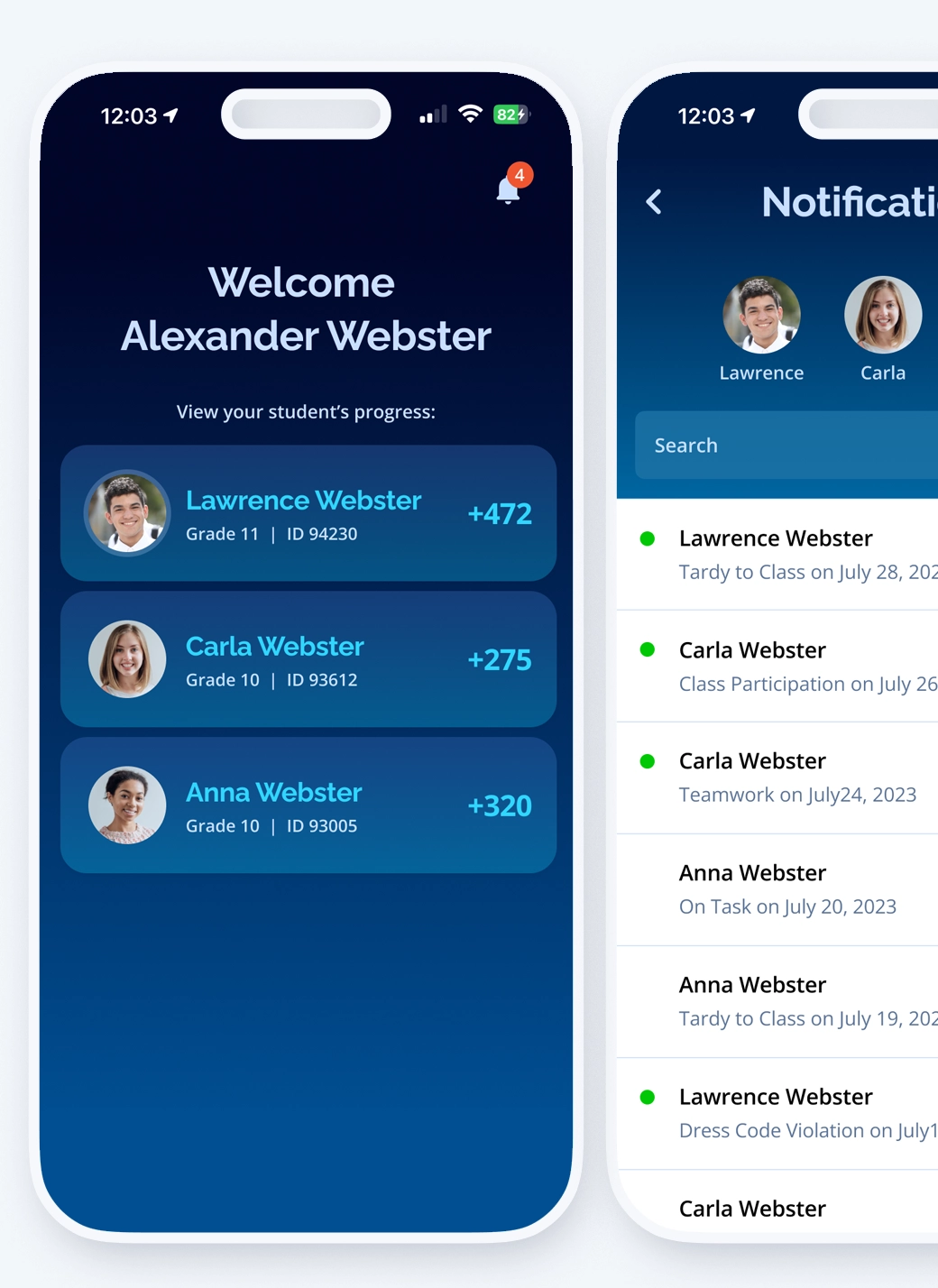
Real-time updates to parents and students via app and email, ensuring continuous engagement outside the classroom.
- Robust Notification Center: Keep everyone informed, with push notificaitons, notification templates, and automated messaging
- Communications History: Keep track of all touch points
4. Mobile Apps
There was a big need to improve the mobile experience and overall usability for all our user personas.
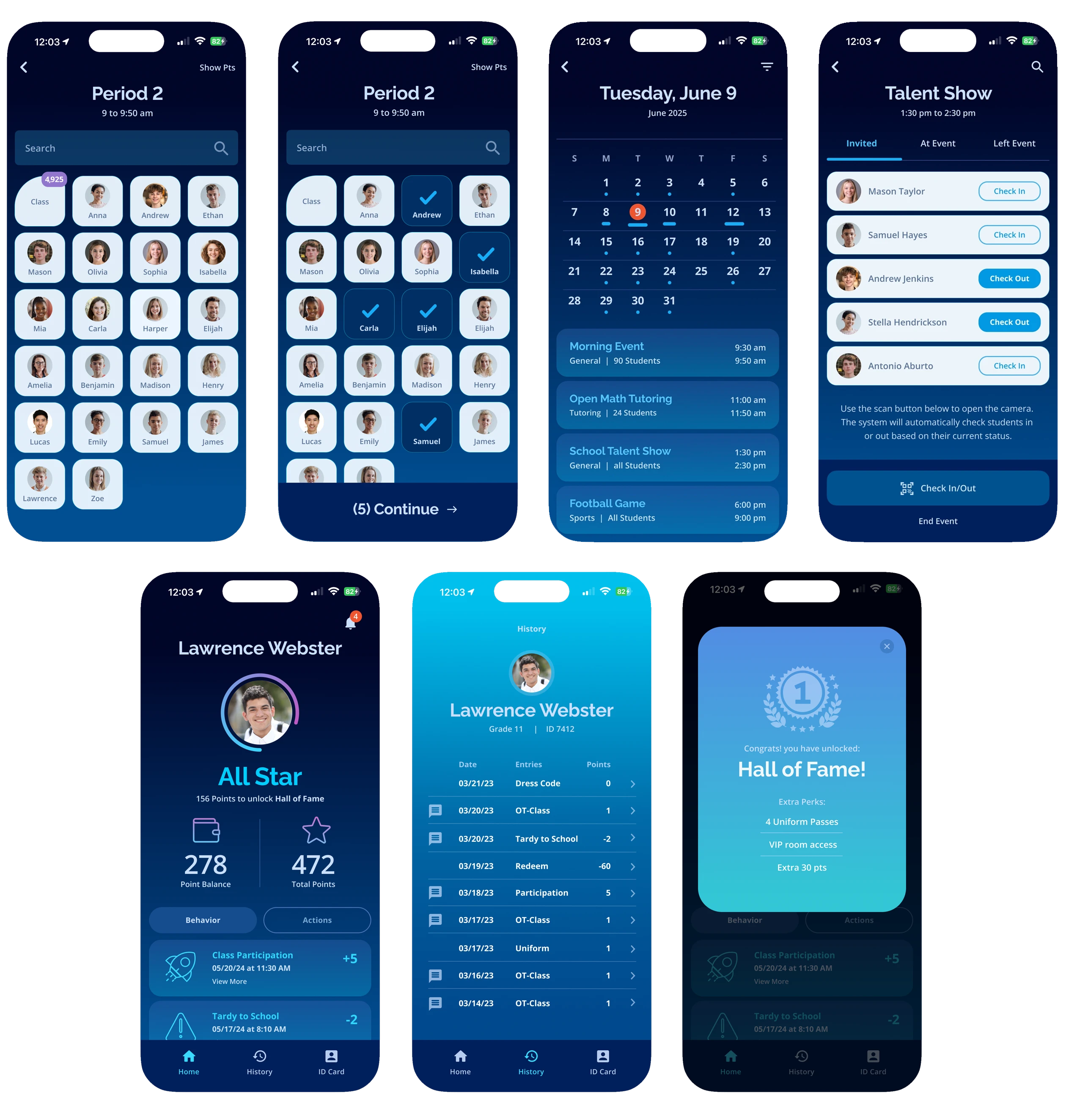
- For admins we aimed to improve the usability of most common mobile tasks, including an intuitive way to search and select students to manage tardiness and improve their behavior patterns
- For student and guardian we aimed to prodive a clear way to track progress throughout the school year and, most importantly, real-time notifications and reminders to keep them engage
- For all users we added a calendar view to easily manage daily events, check in/out processes, and more
03 Design and Prototyping
Hero’s design is tailored to provide an intuitive experience with a focus on ease of use and efficiency. Like I do in all my case studies, I want to highlight the importance of UX/UI design on any product. This is what the users see and interact with, all the research, strategy and backend work is not apparent to the user and they rarely think of many of those more time consuming steps in the process. What they do think about is how to easily go from A to B using the provided UI to complete tasks. The effectiveness of this, mixed with presenting useful tools in an intuitive way, is what creates a great user experience.
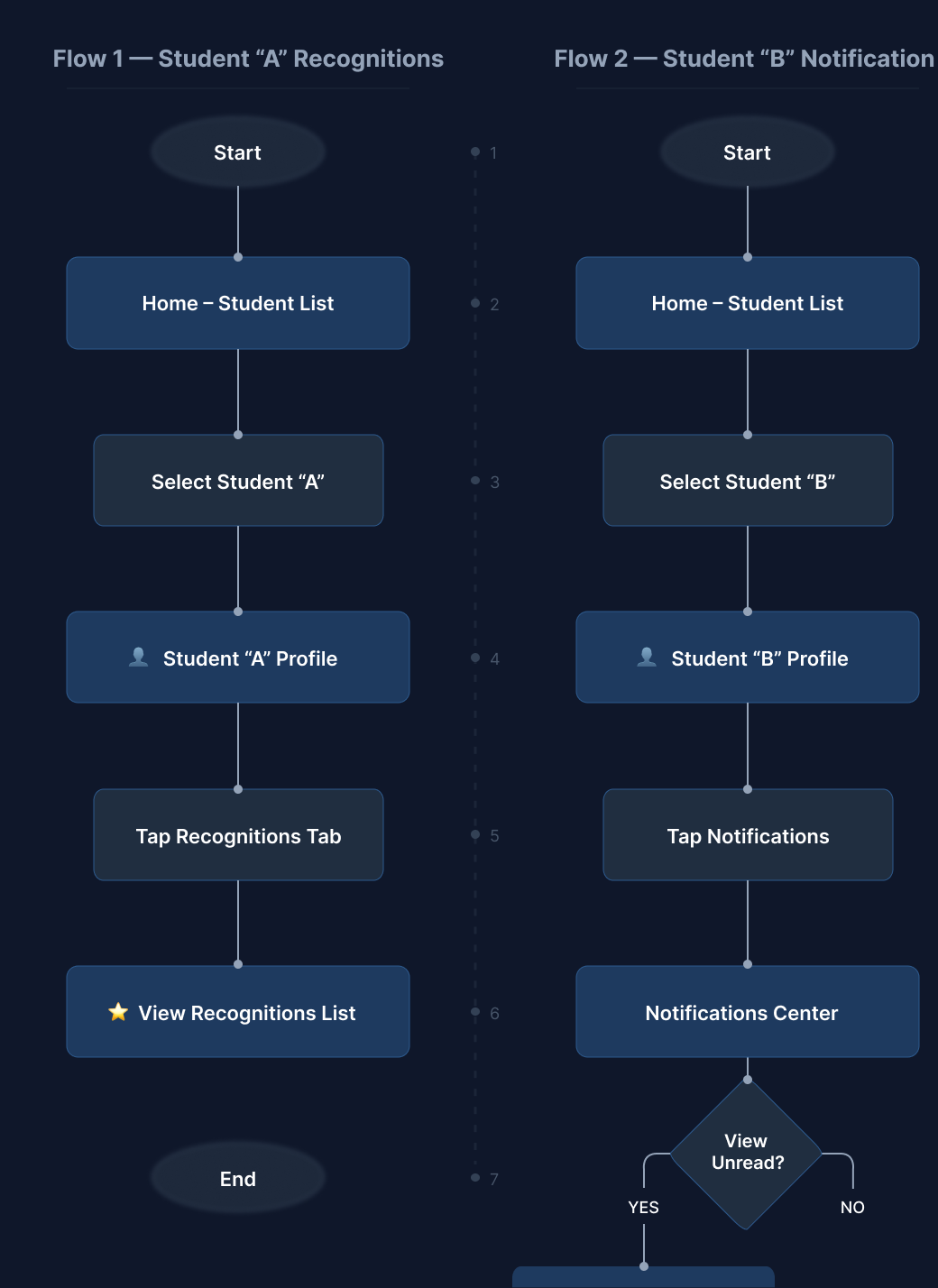
User & Task Flows
are important to map out key tasks, visualize paths a user might take and tackle possible obstacles. Of course, they are also essential in the UI decision making by helping simplify and enhance flows and to start planning the testing stage.
Communication with Engineers
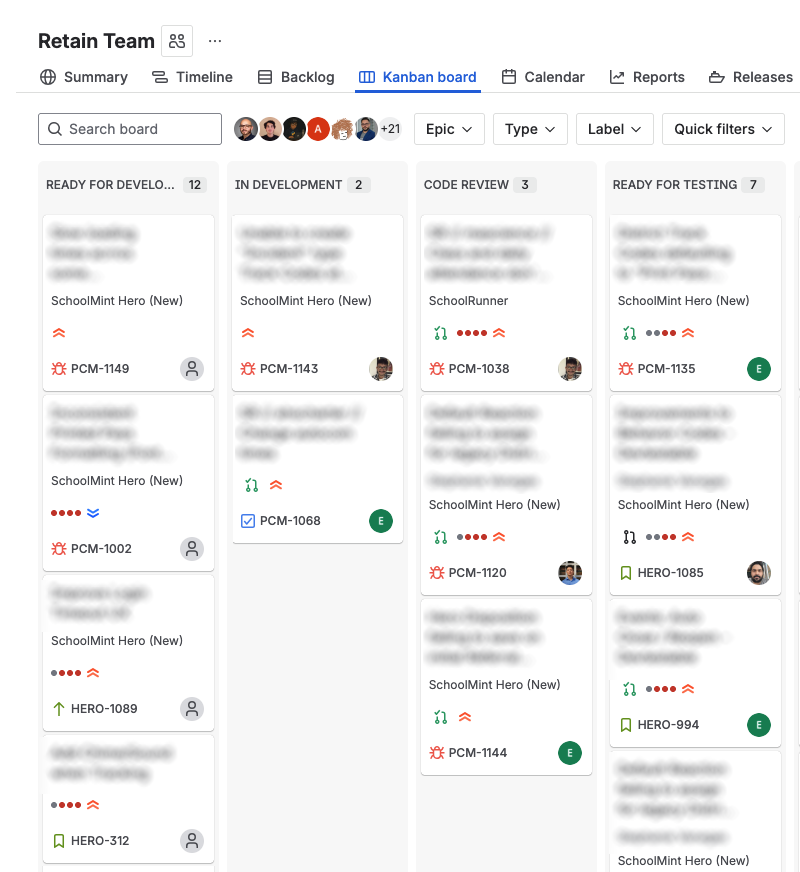
is a must and pushing this until later in the process is a mistake. Engineers and architecture need to be in the loop from early stages to provide feedback on possible challenges, performance issues or limitations of our vision. This important teamwork helps refine the flows, improve handoffs and reduce rework.
Wireframes
let us put all previously gathered information into visuals and helps us see further into what the final user experience would be. This is my favorite stage to get feedback. The visuals help experts see more possibilities and improvements that they might have missed before. It is also more efficient to collect feedback at this stage.
Designs, Prototypes, and Craft
are for me, the most satisfying step of the process. Everything comes together in a meaningful way and we start polishing small but important UX details like micro interactions, error/success states, tooltips and more. I’m also a strong believer that visually appealing designs will consciously and unconsciously help provide a good user experience and increase brand affinity.
The Design System
needs to be documented early, and design and engineering need to be on the same page. Not doing this at early stages is one mistake I learned from experience. These building blocks are an important foundation that makes future iterations and improvement much easier. This also give us the opportunity to make sure best practices are documented, including accessibility, which is an area often ingnore by product teams.
04 Testing and Implementation
To ensure its effectiveness, Hero was tested internally and externally and also was pilot tested by a several clients. We migrated these clients to the new platform and gathered analytics and feedback from users.
Key findings from the testing phase included:
- Improved Reporting: Admin reported improvements and analytics confirmed the use of new futures like visual reports and newly connected data tables. Users found it invaluable to be able to report on all their data
- Usability: Key tasks were tested for effectiveness. We documented positive feedback particularly on behavior and incident management, and the ability for teachers to create student groups to save valuable time
- Engagement: Users, in particular students and parents, had positive feedback with the messaging and notification updates, reporting that it is much easier to track progress and stay up to date
- Ease of Setup: We minimize the need for hands on setup help and admins appreciate the intuitiveness of importing students and setting up schools, user accounts and permissions
- Mobile Experience: Testing confirmed the effectiveness and usability of the new mobile experience. Users highlighted the look and feel and importance of easily accessing all applicable information, statuses and notifications on their phone
Found & Fixed
- Performance: We found issues while testing heavy data actions like reports or bulk updates
- Fixed bugs while importing large CSV files
- Fixed Kiosk Mode performance
- Printers: Schools rely on printing passes for attendance management, and our testing revealed compatibility issues that needed to be addressed
- Fixed bugs in the events calendar and road mapped the need to print event lists to let volunteers help with the check-in and out process
Results
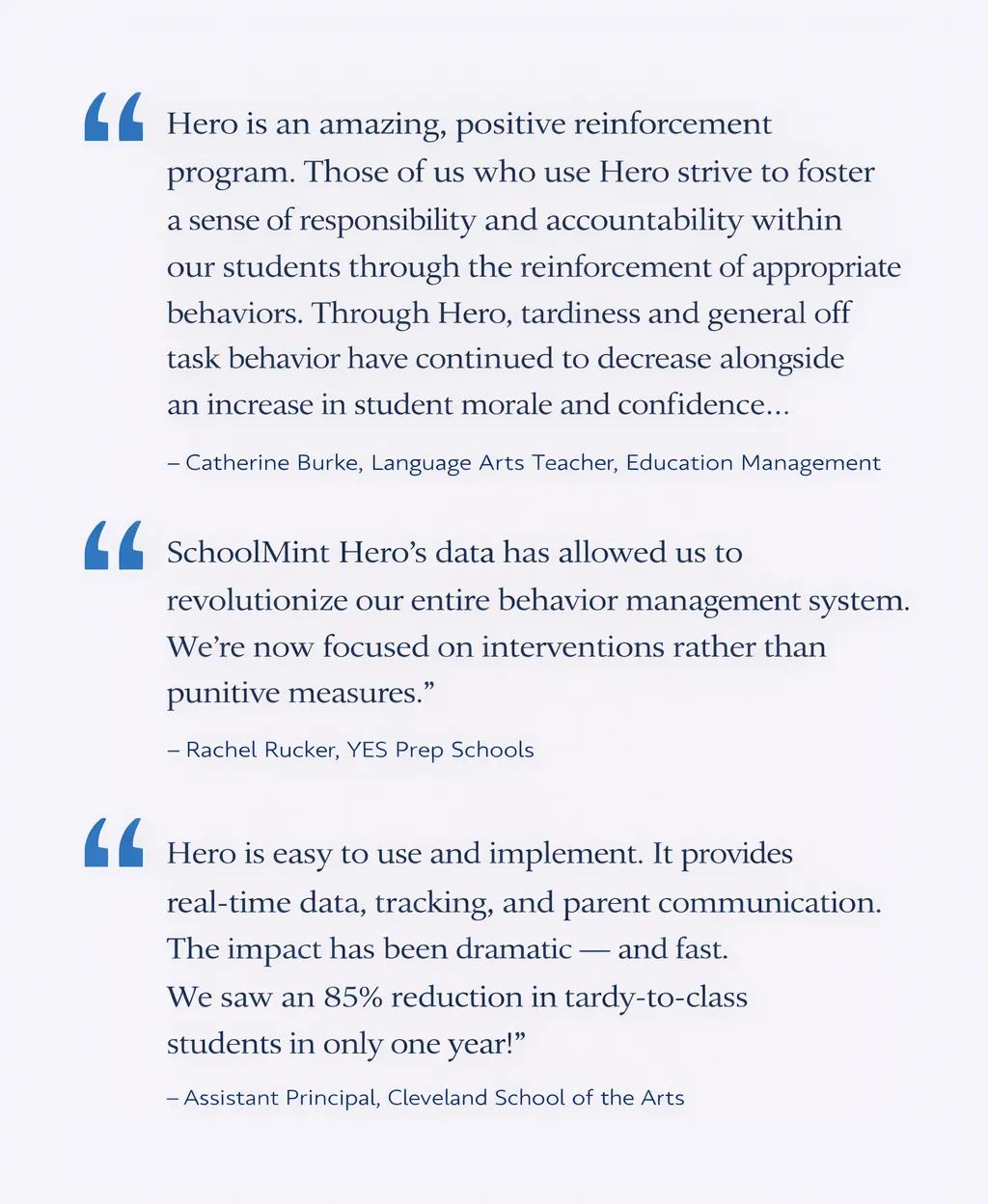
These improvements led to significant results. Based on analytics gather over a whole school year cycle, user feedback and testing we reported:
- 40% decrease in admin time
- 60% increase in user engagement
- 60% boost in platform performance.
- SOC 2, SOC 3, and FERPA Compliance
Working under aggressive deadlines, the team had to constantly balance business goals with UX priorities, and those trade-offs directly shaped v1.0. As with most MVPs, some useful features didn't make the cut. But the work didn't stop at launch. The team continued iterating, improving, and adding features over time until the product reached a much stronger place, one where users could finally experience the full benefits of this initiative.
What Would I Do Differently?
Printer compatibility was a major issue that could have been solved differently. This is a good example of how First-Principles Thinking could have led to a completely new and much better solution that would have eliminated the need for hard-copy pass printing and introduce a first version of a virtual Hall Pass.
