A Smarter Way to Enroll
At-A-Glance
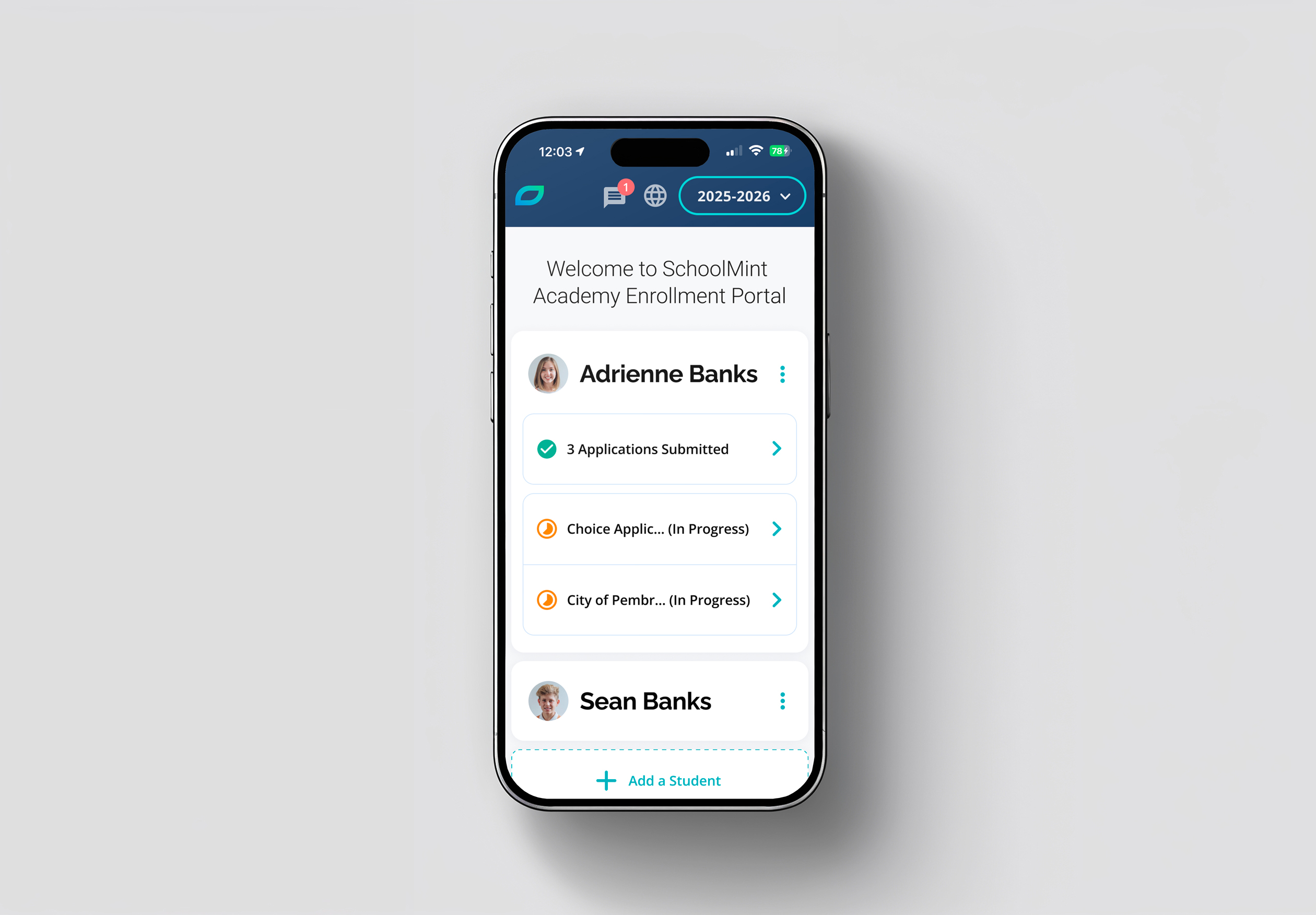
SchoolMint Enroll streamlines the student enrollment process for schools and families all across the United States. It provides an extensive set of features that allow schools to manage their enrollment efficiently and families to easily apply to the school programs of their choice.
Challenge
The process of enrollment and school choice is cumbersome. Organizations with hundreds of schools have different needs than single site schools and existing platforms offer limited flexibility.
For families, the struggle is even greater. The lack of an intuitive platform that lets them navigate the school choice process and stay informed about deadlines, application statuses and events results in confusion and frustration.
Adding to this complexity, this initiative followed the merger of two legacy enrollment products. The challenge was not only to rebuild the experience, but to evaluate and consolidate the strongest capabilities from both platforms into a single, cohesive product.
High Level Goals:
- Simplify Enrollment: A key objective was to significantly improve usability and overall user experience by evolving two legacy products into a more intuitive, unified platform.
- Opportunities: Identify the most valuable features to add to SchoolMint Enroll by synthesizing existing data with fresh insights from discovery, user interviews, and research.
- The Family Journey: Provide an equitable and accessible experience for families to easily go through the enrollment process.
My Role
I led the design, user experience & accessibility of SchoolMint Enroll from January 2020 to February 2026, including AI-assisted design and user testings.
In addition, I worked alongside Product Managers on strategy and discovery, while collaborating with engineering to deliver dozens of features.
As a Sr. member of the product team, I also collaborated with leadership, marketing, sales, onboarding and support teams on all major releases.
The v1.0 web app launched in July 2021 and we’ve consistently shipped improvements and new features (v3.2 as of February 2026).
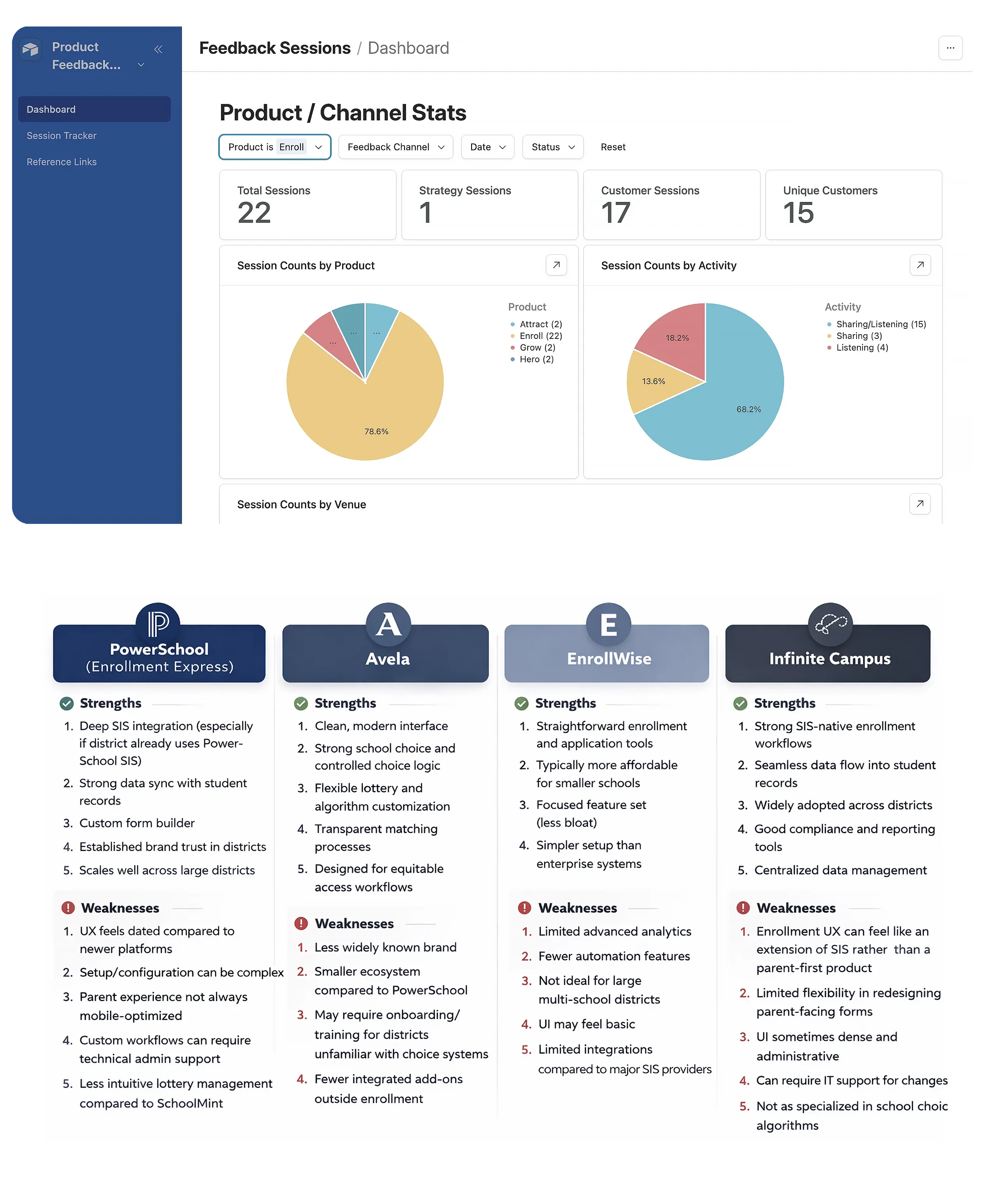
The discovery and research phase is arguably the most important step in the process, during this phase we focused on the following goals:
- Collect, organize, and analyze existing feedback and data alongside new insights gathered from enrollment professionals and subject matter experts through interviews and surveys.
- Understand the various school admin personas and their unique goals and challenges, from school districts with 500K+ students to single site private and charter schools
- Identify strengths, weaknesses and usability issues in competing platforms, manual processes and our two legacy enrollment products
- Identify the family experience frustrations with existing enrollment methods and identify all areas of improvement
We were fortunate to have access to enrollment admins from various organizations which were active users of our legacy enrollment products. This allowed us to gain a deep understanding of the intricacies and challenges involved in various stages of the process.
___________
First-Principles Thinking: While working on the discovery phase it is important to understand the user's problems and goals. Then work on ways to improve the experience while keeping innovation in mind. Not merely improving existing processes but completely rethinking new intuitive ways to help users achieve their goals.
Based on all research, competitor analysis, and strengths and weaknesses of our legacy enrollment products, the team prioritized the following key features as the MLP “Minimum Lovable Product” for Enroll:
The Admin Experience
Flexible configuration options are key to meeting the diverse needs of districts, charter networks, and private schools across the country.
The requirements may vary from state to state also, creating an even bigger set of challenges in the enrollment process.
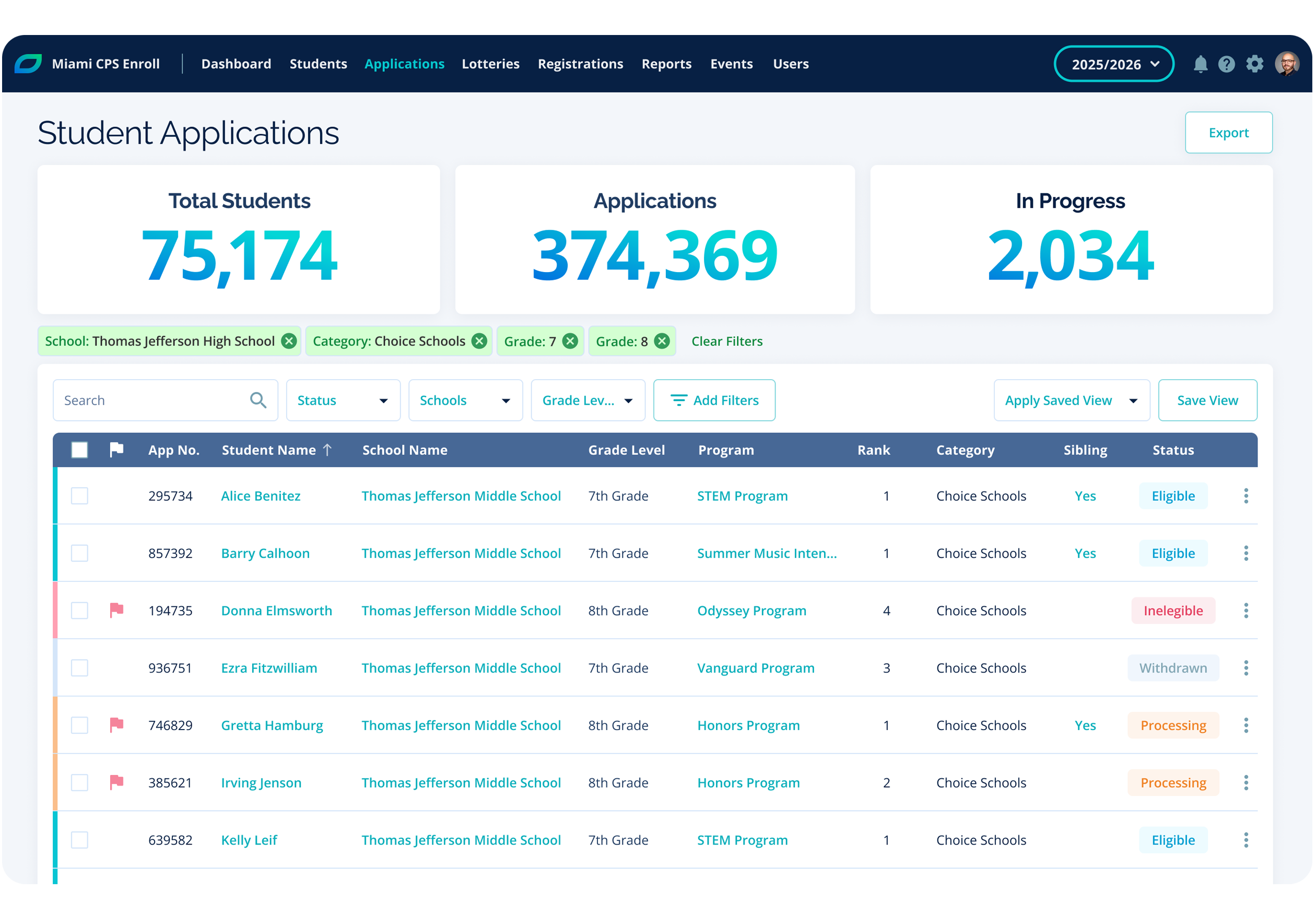
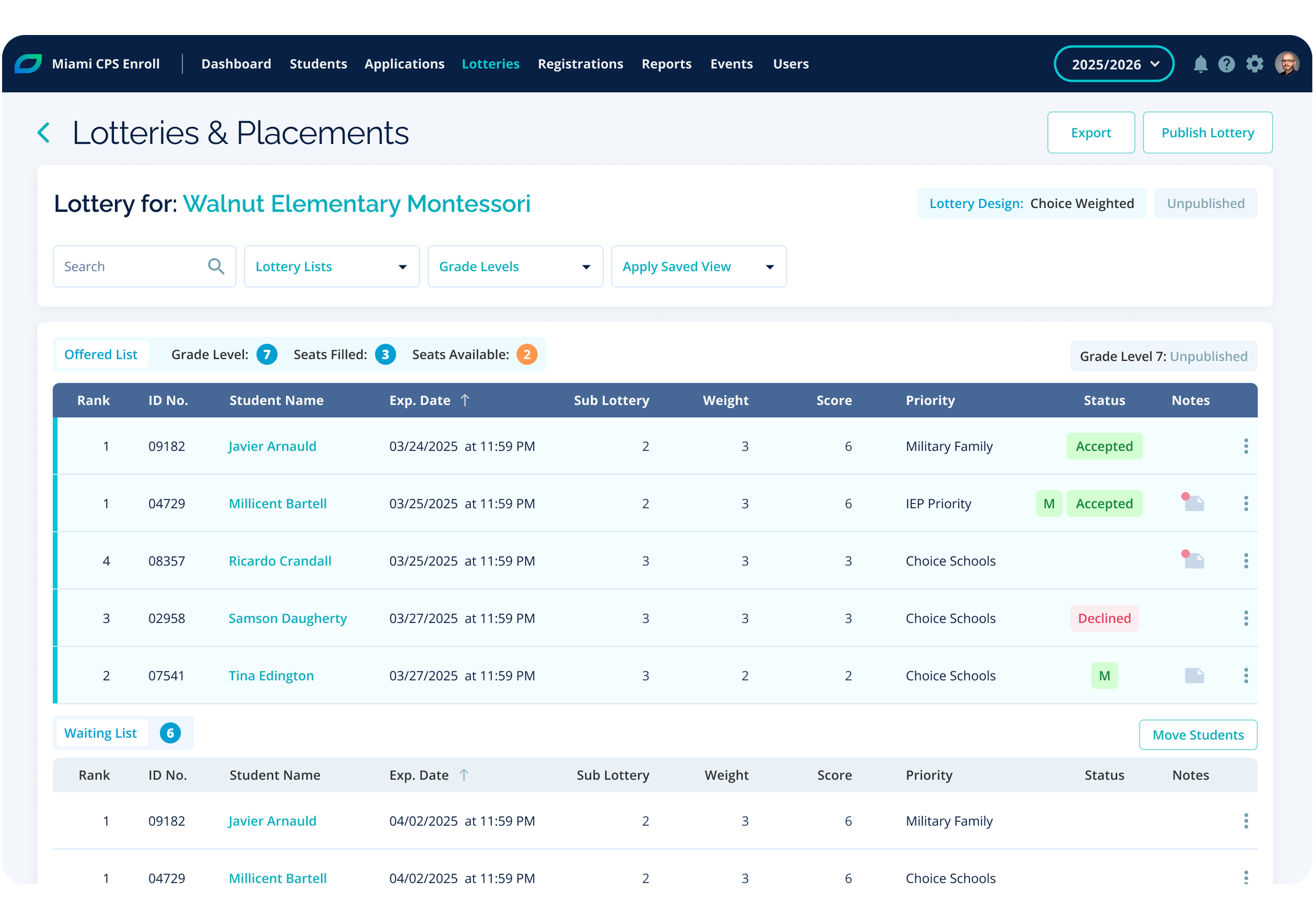
The following is a high-level summary of admin feature priorities for Enroll 1.0
- Form Builder: The ability to create multi-step forms, including conditional logic, and previews.
- Schools & Programs: Admins need an effective way to manage schools, and programs within each school, including program categories and school groups.
- User Permissions: Create user groups and set permissions to effectively manage enrollment and security needs.
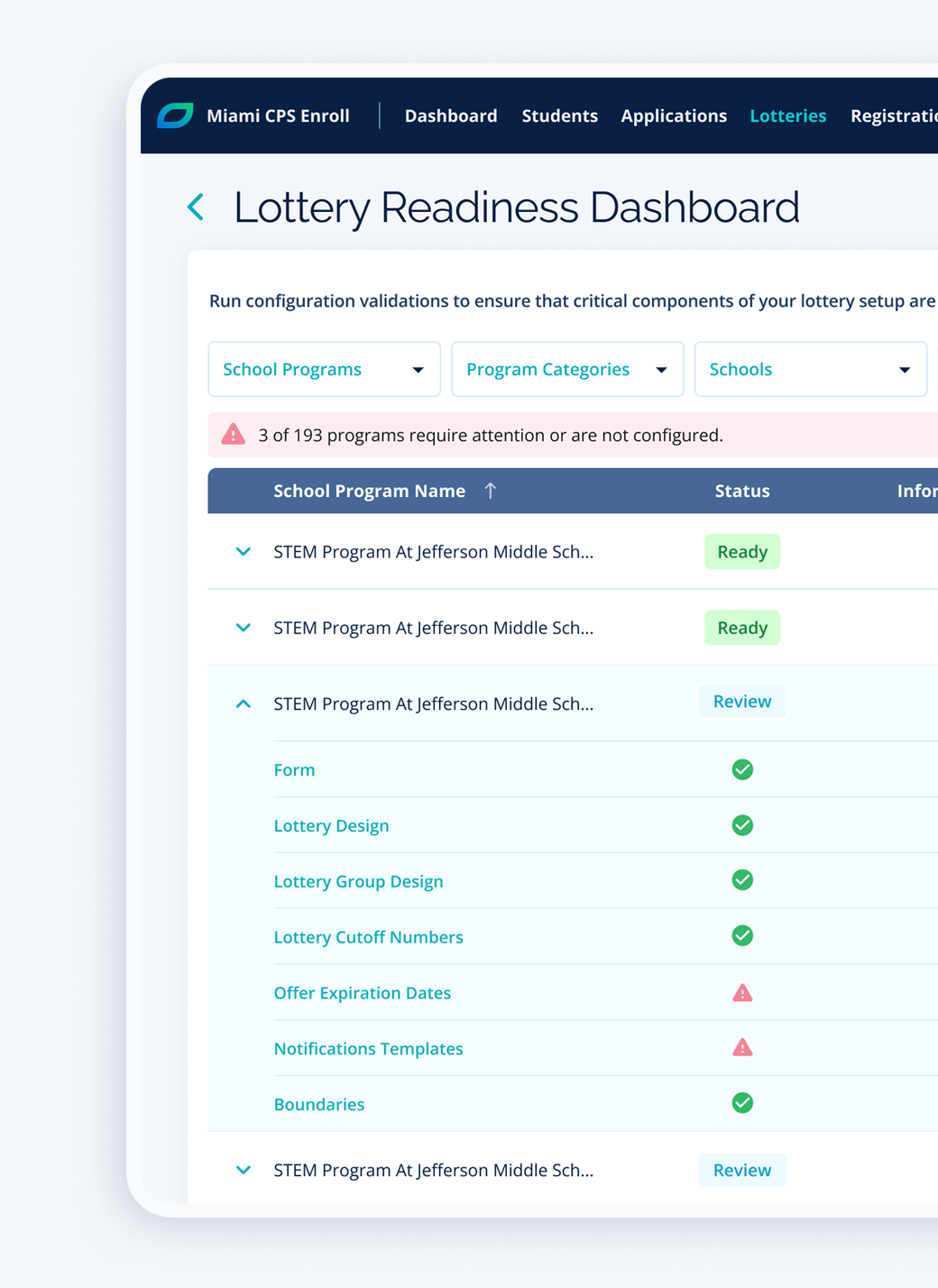
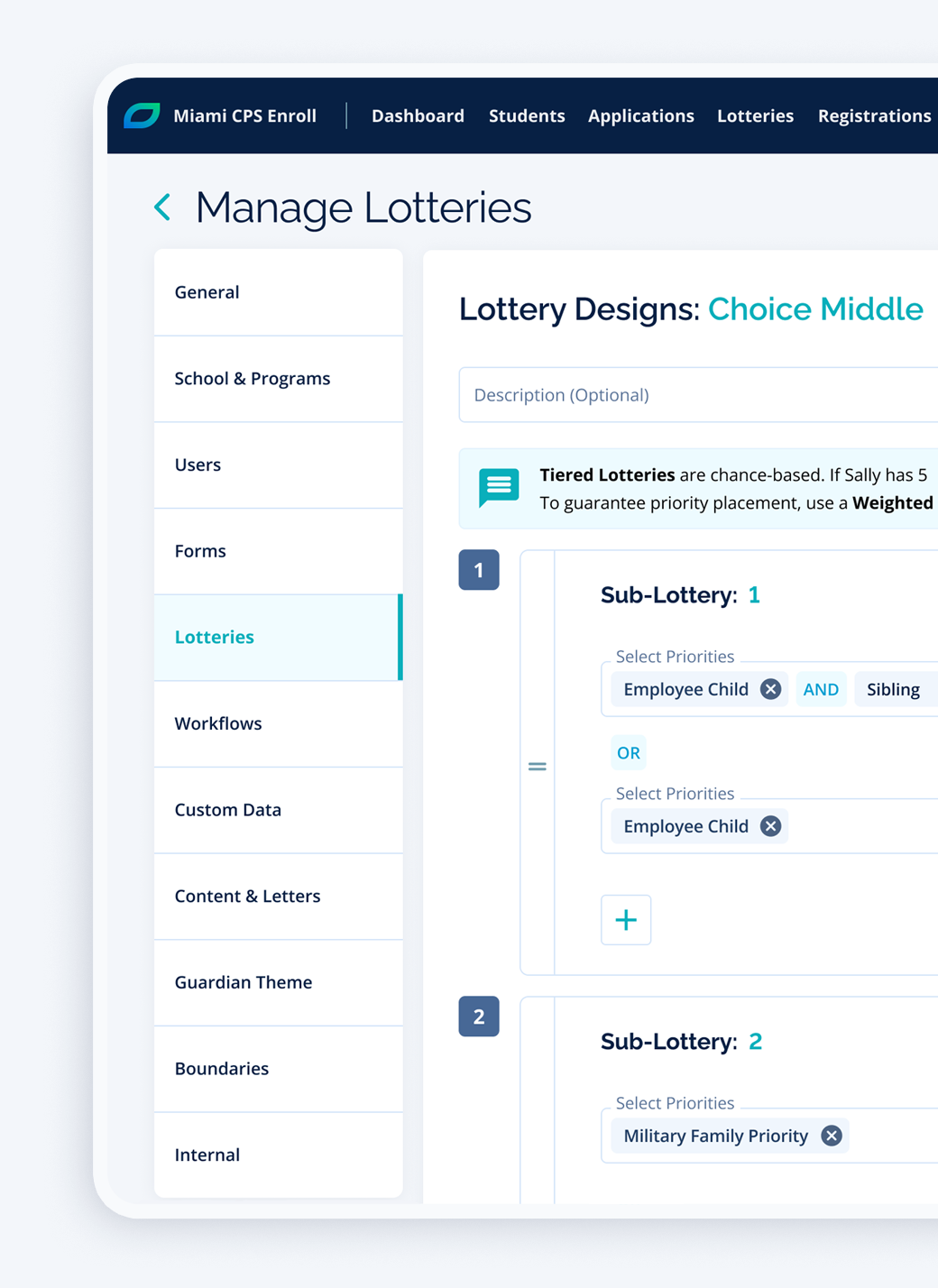
- Lottery Designs: One of the most challenging aspects of school choice & enrollment, schools need the ability to set custom lottery priorities and placement criteria to each student based on their information
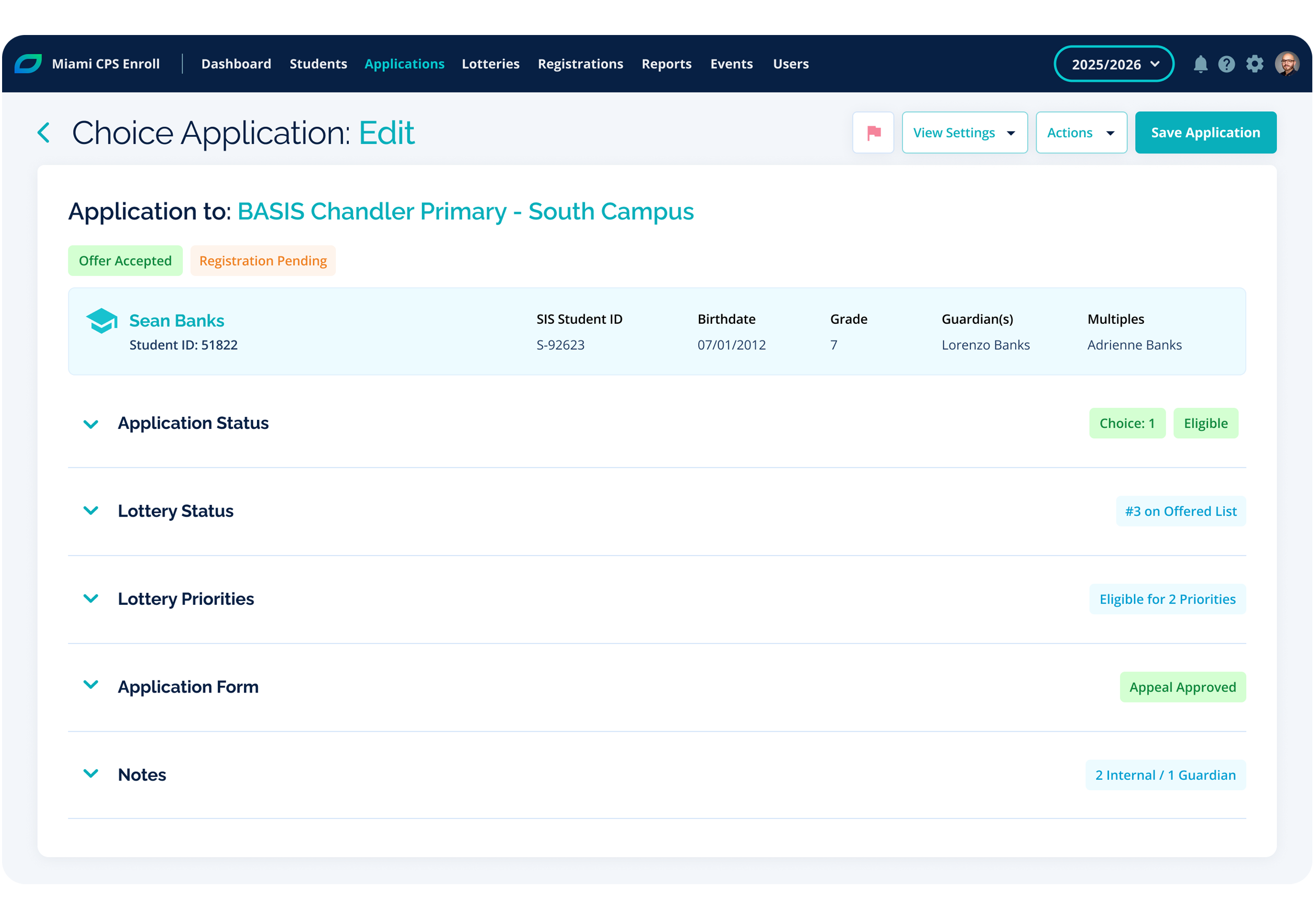
- Applications & Registrations: Admins need an intuitive way to manage and take actions on all submitted forms, including tracking and sharing the latest application or registration statuses.
- Student Lists: Easily find and manage student information.
- Report Builder: A powerful way to report on any field in the system, with the ability to save report designs and schedule report runs with latest data (required by law in many School districts).
- Boundary Management: the ability to view, manage, and organize school and district boundaries (zoned schools).
- Branding: Org’s need the ability to set custom branding to their family portal. It is important to give families a seamless experience.
The Family Experience
Families need the most intuitive and consistent experience (across iOS, Android, Chrome) as possible to navigate school choice. They need to spend time thinking about what is best for their children and not how to use an enrollment product.
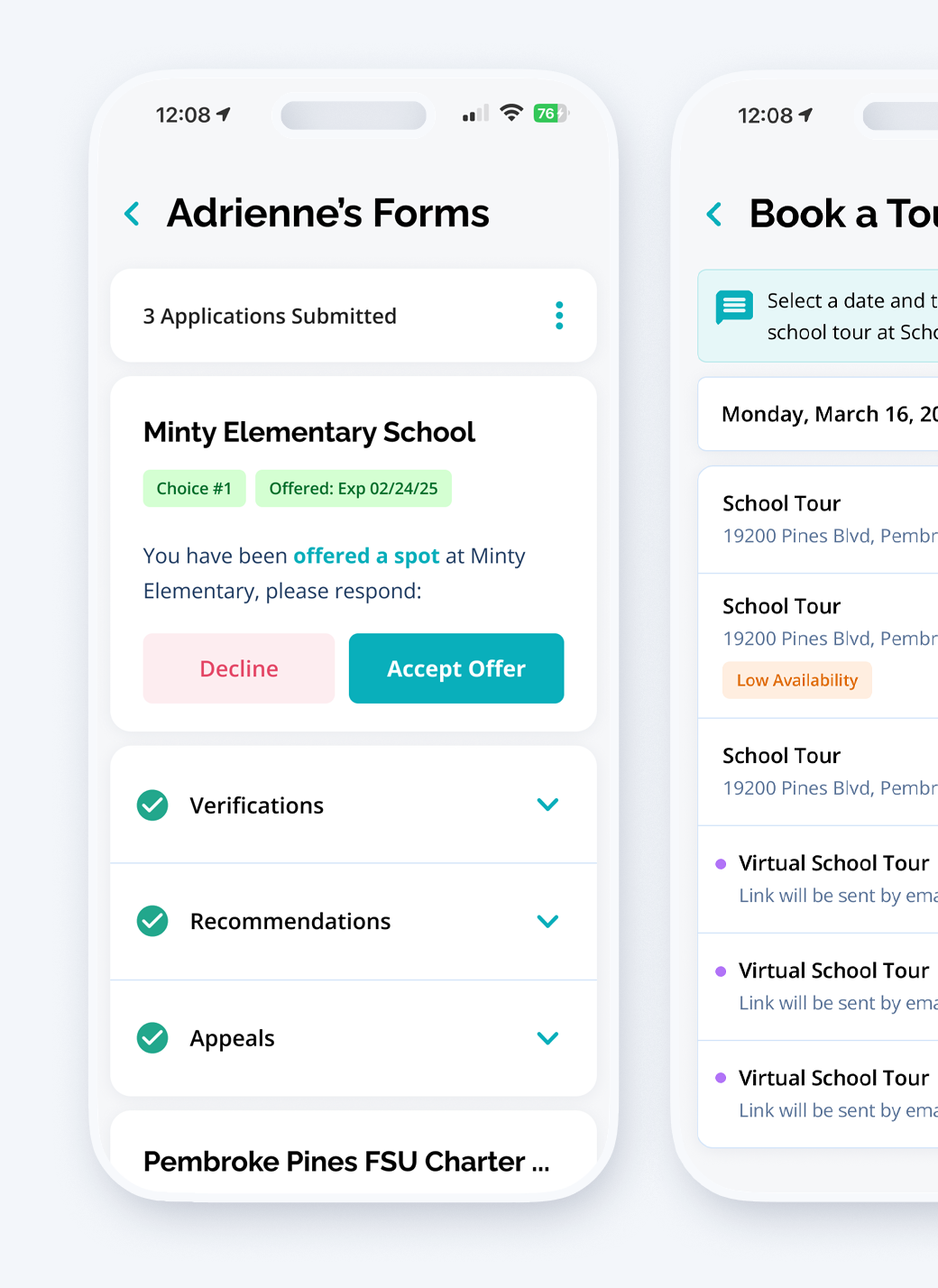
To make sure v1.0 accomplishes family needs, we prioritize the following items:
- Simplified Processes: Less is more approach for families to intuitively manage enrollment for one or more students.
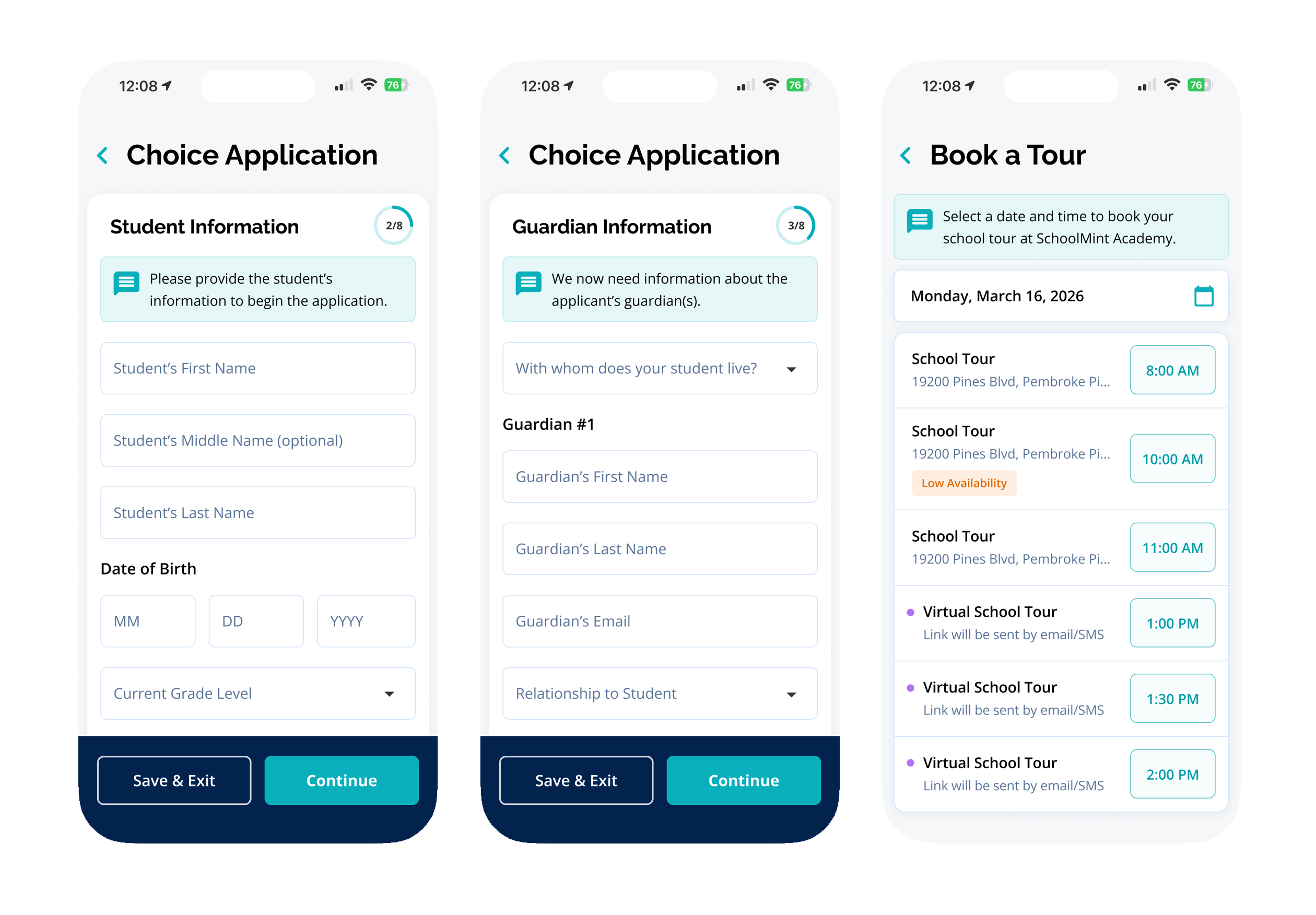
- School Program Selection: One of the most important steps for families is the ability to find and apply to the school program of their choice. Because of this, we prioritized a prebuilt form step that allows families to search, filter and navigate through all available schools and programs in the chosen school organization.
- Accessibility & Translations: We followed WCAG Level AA accessibility guidelines, including best practices for screen readers and keyboard navigation, and offered language translations to make sure all families have a consistent experience regardless of physical disabilities or language barriers.
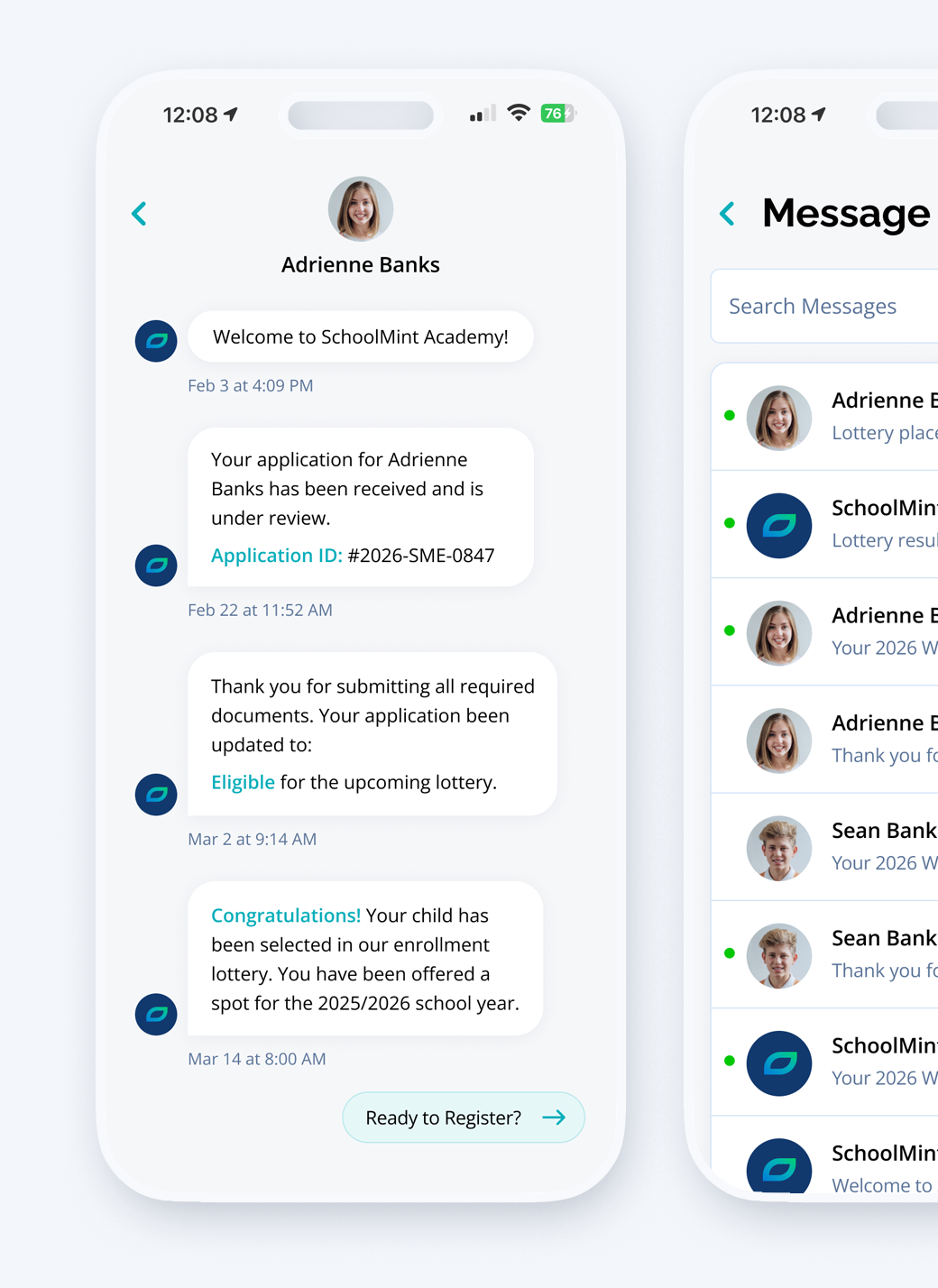
Instant Updates
Clear status tracking and action steps on applications and registrations are essential for both families and admins. To make sure we provide the best experience we prioritized two essential features:
- Communications: Ability to create and set email/SMS templates, as well as, ad hoc communications to keep families and admins informed on every step of the process.
- Notification Center: In-product notifications to ensure families and admins have access to all messages regardless of email/SMS restrictions and for easy access to message history for all their school children
03 Design and Prototyping
This is where research and strategy begin to take shape. I want to highlight the importance of UX/UI design on any product. This is what the users see and interact with, all the research, strategy and backend work is not apparent to the user and they rarely think of many of those more time consuming steps in the process. What they do think about is how to easily go from A to B using the provided UI. The effectiveness of this is what creates a great user experience.
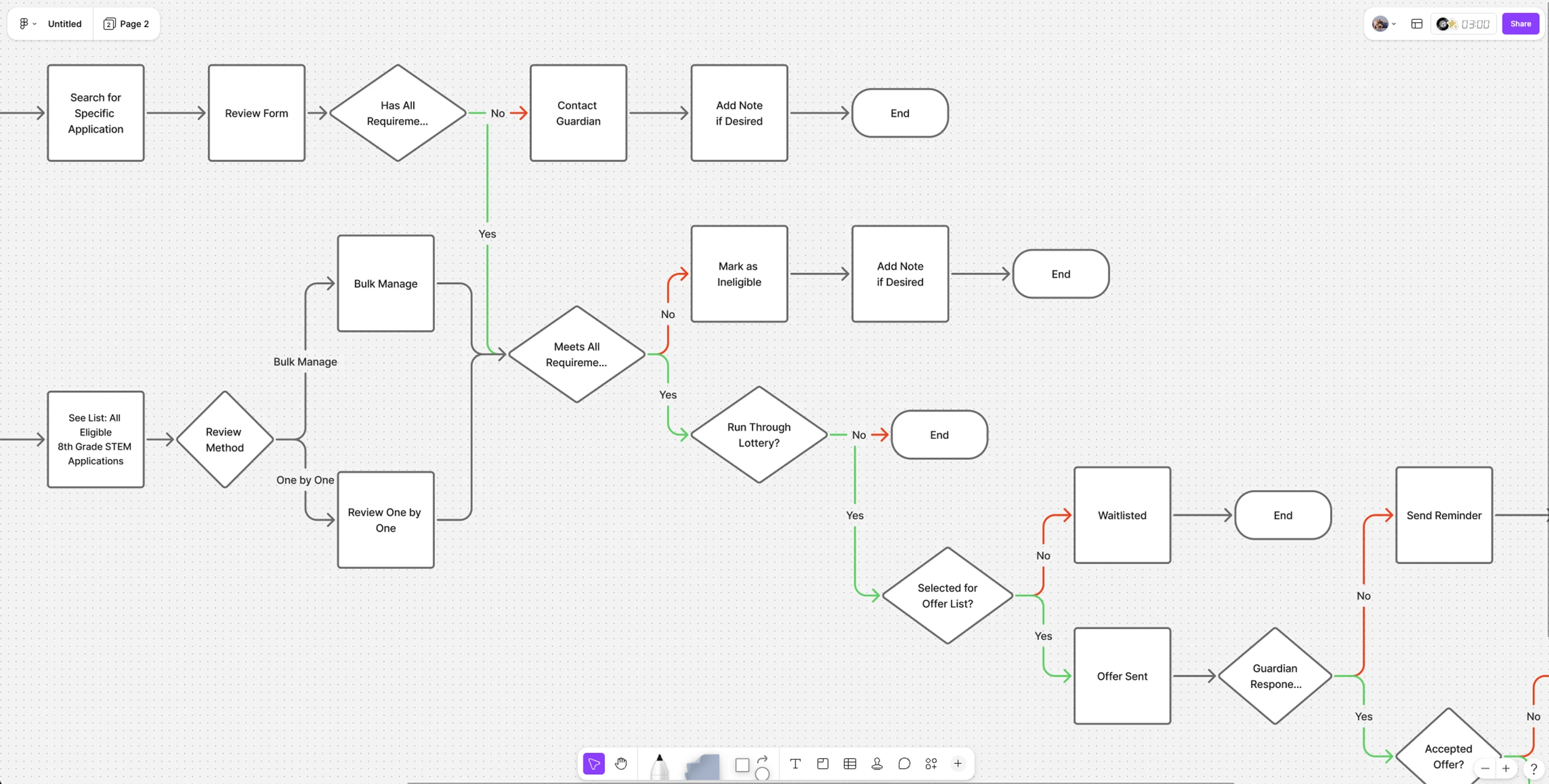
User & Task Flows
I created flows for each key feature mentioned above to help visualize the individual steps a user takes to complete tasks. This process is essential to think through all the different scenarios, edge cases, pain points, details, and turn them into testable items.
Wireframes
After identifying the UI requirements for each key feature I started with low and mid fidelity mockups to help define the visual direction. Of course product development is not a linear process, so at this stage we would go back and get more feedback and validation and make adjustments as needed without much effort before going to the design stage.
Designs and Prototypes
Based on SchoolMint’s predefined brand, which I created a couple of years earlier, I applied styles to the mockups, and began building a design system. Consistency and well defined UI elements are very important for UX. I also worked with a UX copywriter to find the best way possible to be clear and concise from small things like field labels and tooltips to bigger items like user guides. Once key feature designs were complete, I created prototypes and moved the product into its next stage.
Before testing it is important to set up objectives and usability test plans to help us measure results. To ensure effectiveness and usability, Enroll underwent alpha and beta testing phases.
Alpha Testing
Internal testings, including accessibility, were conducted by the product team to identify and address any major issues.
Beta Testing
A group of schools admins, from big and small organizations, were selected to test the platform and provide feedback on its usability, performance, and features. We developed Beta sites where admins were able to test with their own data. This is, in my opinion, the most helpful type of testing for our products. We had biweekly sessions to give them assignments and get feedback from previous testings.
Feedback and Iterate Cycle
Performance issues were found using big sets of data by our Beta testers. This clearly demonstrated the importance of testing in our process.
The Impact
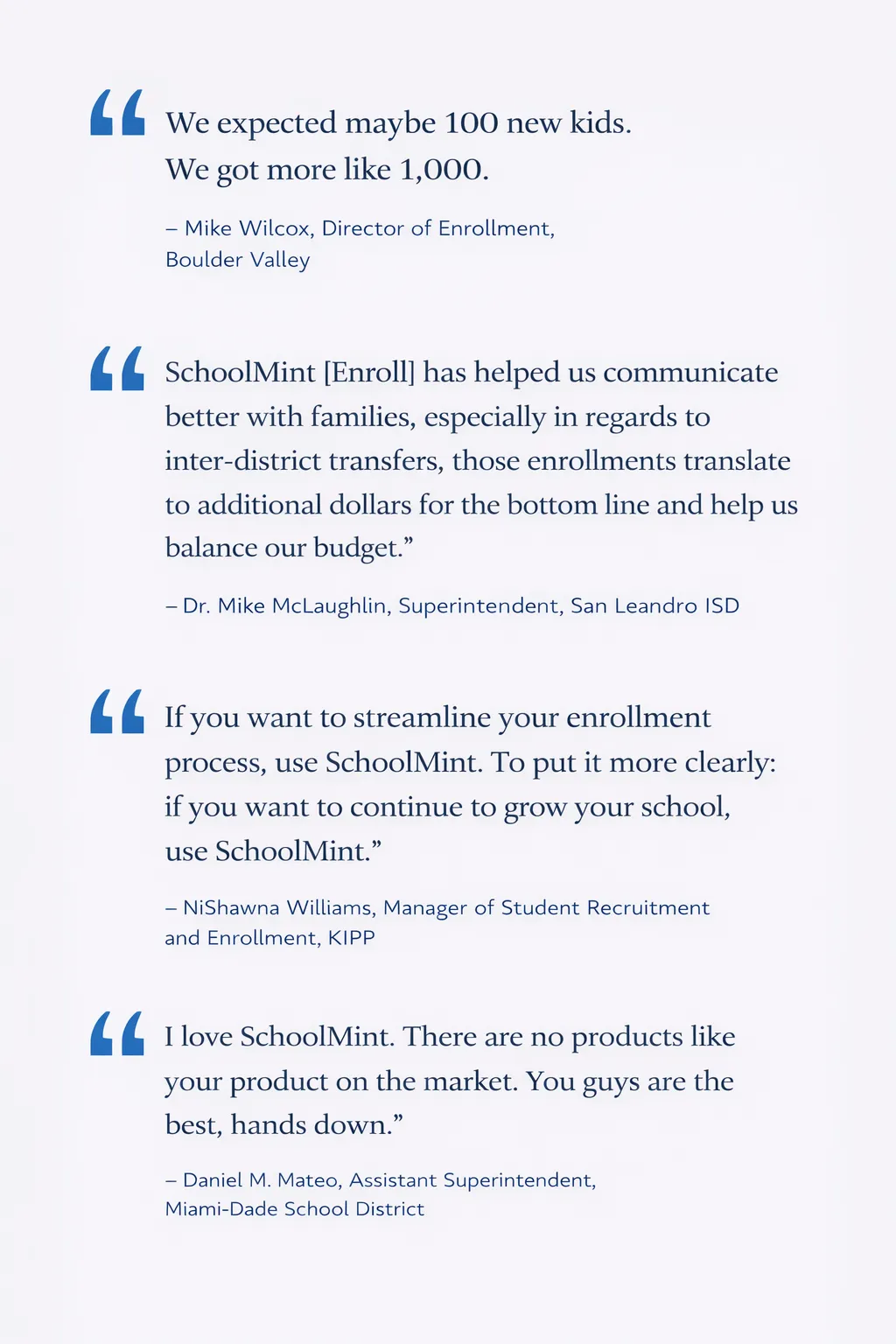
SchoolMint Enroll is currently serving more than 11 million students and 16,000 schools across the country. Over 1 million student applications and 17,000 lotteries are processed annually.
- 30% average student enrollment growth
- In 2022, SchoolMint Enroll won the Edtech Digest Cool Tool Award
- Click here for more information
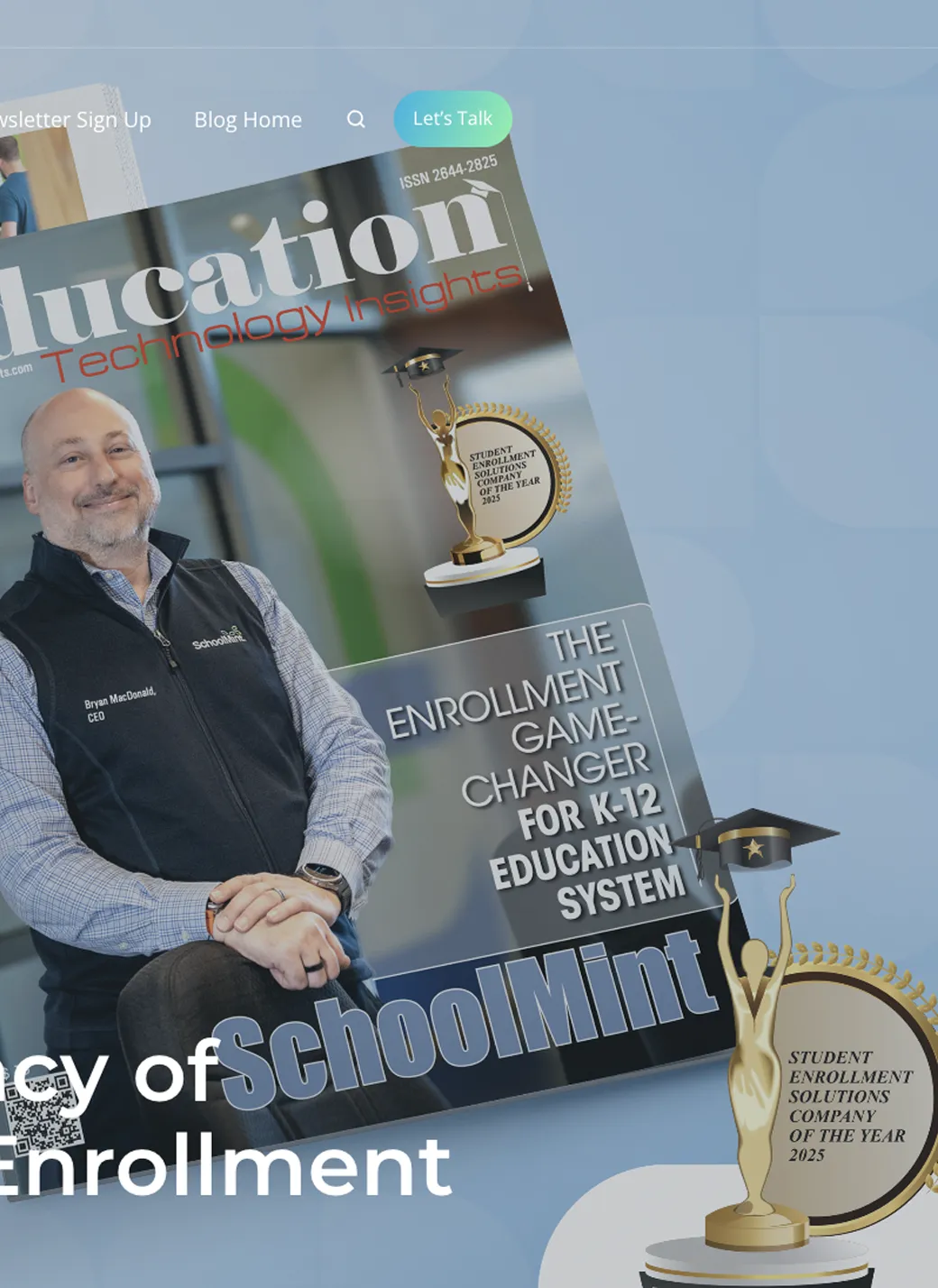
- In 2025, SchoolMint Enroll was named Education Technology’s Enrollment Solution of the Year
- Click here for more information
Lessons Learned
This has been an incredible experience for myself as I led UX and product design and worked closely with the team on discovery, strategy, testing and all other important steps in the product development process. We worked on this project using Agile with multiple scrum teams, two and three week sprints, then change to Kanban, lots of QA, regressions and more.
But it was not all perfect. As we balanced user needs with business goals and timelines, key trade-offs were made that shaped the scope of the MVP. Version 1.0 received mixed reviews as it was missing essential parts from the original road map, such as, conditional fields, document verifications or a more robust report builder. Users quickly raised concerns and only after the release of v2.0 in 2022 did Enroll begin receiving strong positive reviews and industry recognition.
Now, ongoing feedback and iteration cycles continue to refine and enhance the platform, ensuring it remains responsive to user needs and evolving requirements.